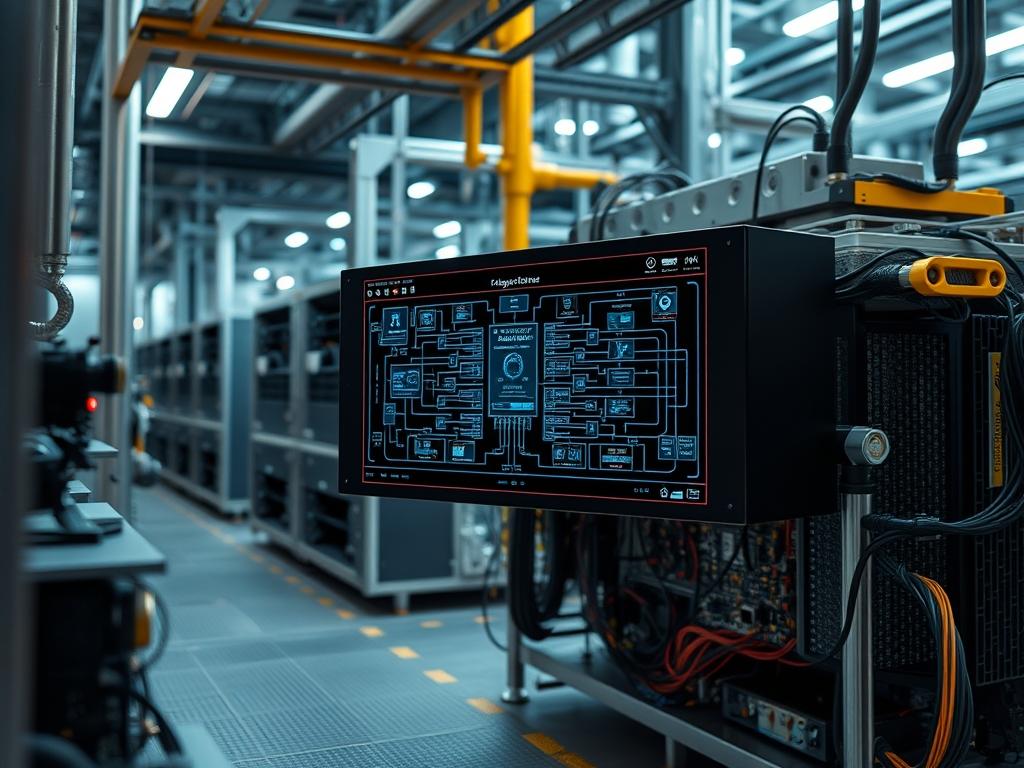
Industrial embedded system hardware provides the foundational execution layer for critical infrastructure, ranging from smart-grid energy distribution to high-speed rail signaling. Unlike consumer-grade electronics, these systems operate in environments where atmospheric stability is non-existent. These units are engineered to mitigate the risks of chemical exposure, high-frequency vibration, and extreme temperature fluctuations that would otherwise compromise data integrity or physical longevity. The primary problem addressed by industrial embedded system hardware is the requirement for 24/7 reliability amidst rigorous mechanical stress and varying electrical noise. The solution lies in the implementation of ruggedized silicon, fanless thermal dissipation models, and error-correcting memory architectures. By shifting computational logic to the network edge, these systems reduce the latency associated with cloud-based processing while ensuring that the payload remains secure and the local operations remain idempotent. This manual outlines the architectural requirements, deployment protocols, and maintenance cycles necessary for successful hardware integration.
Technical Specifications
| Requirement | Default Port/Operating Range | Protocol/Standard | Impact Level (1-10) | Recommended Resources |
| :— | :— | :— | :— | :— |
| Operational Temperature | -40C to +85C | IEC 60068-2-1 | 10 | Industrial-grade Silicon |
| Network Connectivity | RJ45/M12 10/100/1000 Mbps | IEEE 802.3ab | 8 | Cat6a Shielded Cabling |
| System Vibration | 5Grms, 5-500Hz | MIL-STD-810G | 9 | Solid State Drive (NVMe) |
| Input Voltage | 9V to 36V DC | ISO 7637-2 | 7 | Transient Voltage Suppressor |
| Logic Memory | ECC Support Required | JEDEC | 8 | 8GB to 32GB ECC RAM |
| Ingress Protection | IP67 or IP68 | IEC 60529 | 9 | Die-cast Aluminum Chassis |
| Serial Communication | RS-232/422/485 | TIA/EIA-485 | 6 | DB9 Isolated Connectors |
The Configuration Protocol
Environment Prerequisites:
Deploying industrial embedded system hardware requires strict adherence to physical and logical dependencies. All field technicians must possess root-level or sudo permissions for software configuration and a certified fluke-multimeter for electrical verification. Hardware must comply with IEEE 802.3 for networking and NEC Class I, Division 2 if operating in hazardous locations. Software dependencies include a Linux kernel version 5.15 or higher for modern driver support, specifically for real-time patches (PREEMPT_RT). Ensure all M12 connectors are torqued to manufacturer specifications to maintain the seal integrity.
Section A: Implementation Logic:
The engineering design of industrial hardware prioritizes thermal-inertia management and signal-attenuation resistance. Standard cooling fans are the primary point of failure in dusty or humid environments; therefore, industrial systems utilize passive conduction via the chassis. The internal components are often potted or coated in a conformal layer to prevent oxidation. This design strategy ensures that the system’s thermal-inertia allows it to withstand rapid temperature spikes without immediate throttle-induced failures. From a logic perspective, the system must maintain an idempotent state, meaning that if a power loss occurs, the re-initialization of the hardware does not lead to inconsistent or corrupted data states. This is achieved through journaling file systems and non-volatile memory segments that protect the core payload during asynchronous shutdowns.
Step-By-Step Execution
1. Physical Mount and Thermal Surface Preparation
Apply a thin layer of high-conductivity thermal paste to the CPU and Chipset before securing the internal heatsink or chassis contact plate. Mount the unit onto a DIN rail or VESA bracket using stainless steel fasteners.
System Note: Correct mounting ensures that the chassis functions as a continuous heat sink. Improper seating creates air gaps that increase thermal-inertia. This leads to heat localization and eventual silicon degradation. Use a fluke-multimeter to verify that the chassis is properly grounded to the common earth rail.
2. Power Rail Integration and Voltage Testing
Connect the V+ and V- leads from the 24V DC power supply to the Phoenix Contact terminal block. Before toggling the breaker, verify that the input voltage is within the 1% ripple tolerance.
System Note: Industrial power stages often include a wide-input range. However, excessive electrical noise can induce packet-loss in high-speed serial communications. This step stabilizes the logic-controllers before the kernel initialization sequence begins.
3. BIOS/UEFI Configuration for Autonomous Operation
Power on the unit and enter the BIOS/UEFI interface. Disable all power-saving states (C-States) and set the Power Management tab to “Always On” following a power loss. Enable Watchdog Timer (WDT) protection with a 60-second interval.
System Note: Disabling C-States reduces the latency of the processor wake-up cycle. The Watchdog Timer is a physical hardware circuit that will hard-reset the system if the OS kernel hangs, ensuring high availability without manual intervention.
4. Kernel Network Tuning for High Throughput
Access the terminal and modify the /etc/sysctl.conf file. Increase the memory allocated for network buffers by adding net.core.rmem_max=16777216 and net.core.wmem_max=16777216. Apply changes using sysctl -p.
System Note: Standard kernel defaults are tuned for general-purpose desktop use. In industrial environments, large bursts of sensor data (high throughput) can overflow these buffers. This causes signal-attenuation and dropped packets at the software layer.
5. Deployment of Thermal Monitoring Daemons
Install the lm-sensors package and execute sensors-detect to identify the onboard thermal diodes. Use systemctl enable –now lm-sensors to start the service. Configure a cron job to log output from sensors to /var/log/thermal_audit.log every five minutes.
System Note: Real-time monitoring allows the administrator to correlate high CPU concurrency with physical temperature rises. If the temperature exceeds 80C, the kernel may trigger a frequency cap, significantly increasing the overhead of critical processes.
Section B: Dependency Fault-Lines:
Software-level failures in industrial systems usually stem from glibc version mismatches or incompatible shared libraries during the cross-compilation process. When a binary is compiled on a modern x86 workstation and moved to a legacy industrial ARMv7 gateway, a “Segmentation Fault” is the typical result. Mechanically, the primary bottleneck is the connector fatigue. Frequently plugging and unplugging RJ45 or USB ports not designed for high-cycle use will lead to intermittent signal loss. Always specify lockable connectors for any application involving moving machinery or constant vibration.
THE TROUBLESHOOTING MATRIX
Section C: Logs & Debugging:
When a system fails to boot or experiences physical lockout, the first point of analysis is the dmesg output or the /var/log/kern.log file. Search for strings such as “Machine Check Exception” or “Thermal Trip.” If the hardware is non-responsive via SSH, connect a serial cable to the RS-232 console port at a baud rate of 115200.
If the system indicates “I/O Error” on the primary disk, it suggests the NVMe or SATA controller is suffering from signal-attenuation due to electromagnetic interference (EMI). Verify the shielding of the internal ribbon cables. For thermal issues, use the command cat /sys/class/thermal/thermal_zone*/temp. The resulting integer must be divided by 1000 to get the Celsius value. If the value exceeds the component’s rated threshold, inspect the contact between the CPU and the chassis. For networking failures, run ethtool -S eth0 to check for CRC errors. A high CRC count indicates a physical layer failure in the cabling or the M12 socket.
OPTIMIZATION & HARDENING
– Performance Tuning: To maximize concurrency, bind critical interrupts to specific CPU cores using smp_affinity. This reduces the context-switching overhead for real-time tasks. Set the CPU governor to “performance” mode using cpupower frequency-set -g performance to eliminate the latency caused by dynamic frequency scaling.
– Security Hardening: Apply the principle of least privilege by using chmod 600 on all configuration files in /etc/network/ and /etc/ssh/. Implement a strict firewall using iptables or nftables that drops all incoming traffic except for known VPN or Scada management IPs. Physically, disable any unused ports (USB, Serial, SD-Card) using epoxy or mechanical blockouts to prevent unauthorized local access.
– Scaling Logic: When expanding the deployment, use an idempotent configuration management tool like Ansible to ensure all nodes have mirrored settings. Use a distributed consensus protocol like RAFT to synchronize state across multiple embedded nodes. This ensures that even if one node fails due to a local thermal event, the remaining infrastructure maintains the operational payload without data loss.
THE ADMIN DESK
How do I prevent “Thermal Throttling” in high-heat outdoor enclosures?
Ensure the enclosure has sufficient surface area for radiant cooling. Use active heat-pipes to bridge the industrial embedded system hardware to the outer metal walls. Avoid placing the unit in direct sunlight; use a solar shield to reduce ambient gain.
What is the primary cause of sudden file system corruption?
Sudden power loss without a “Safe Shutdown” signal is the culprit. Use a persistent journaling file system like EXT4 with the data=journal mount option. For maximum protection, integrate a small Supercapacitor-based UPS to provide 30 seconds of shutdown time.
Why is my network throughput lower than 1Gbps on a rated port?
This is often caused by signal-attenuation in unshielded cables near high-voltage motors. Use S/FTP Cat6a cabling and verify the grounding. Also, check the MTU settings in ip link; mismatched MTUs cause excessive packet fragmentation and overhead.
How do I update firmware without risking a bricked device?
Always use an A/B partition scheme for firmware. Flash the new image to the inactive partition (Slot B) and perform a trial boot. If the Watchdog Timer fails to see a “Heartbeat” within five minutes, it will automatically roll back to Slot A.
The system boots but the logic-controller won’t communicate with the PLC.
Verify the RS-485 wiring polarity. Unlike RS-232, RS-485 is differential; swapping Data+ and Data- will result in silent failure. Use a logic analyzer to check for the correct start and stop bits in the UART frames.

