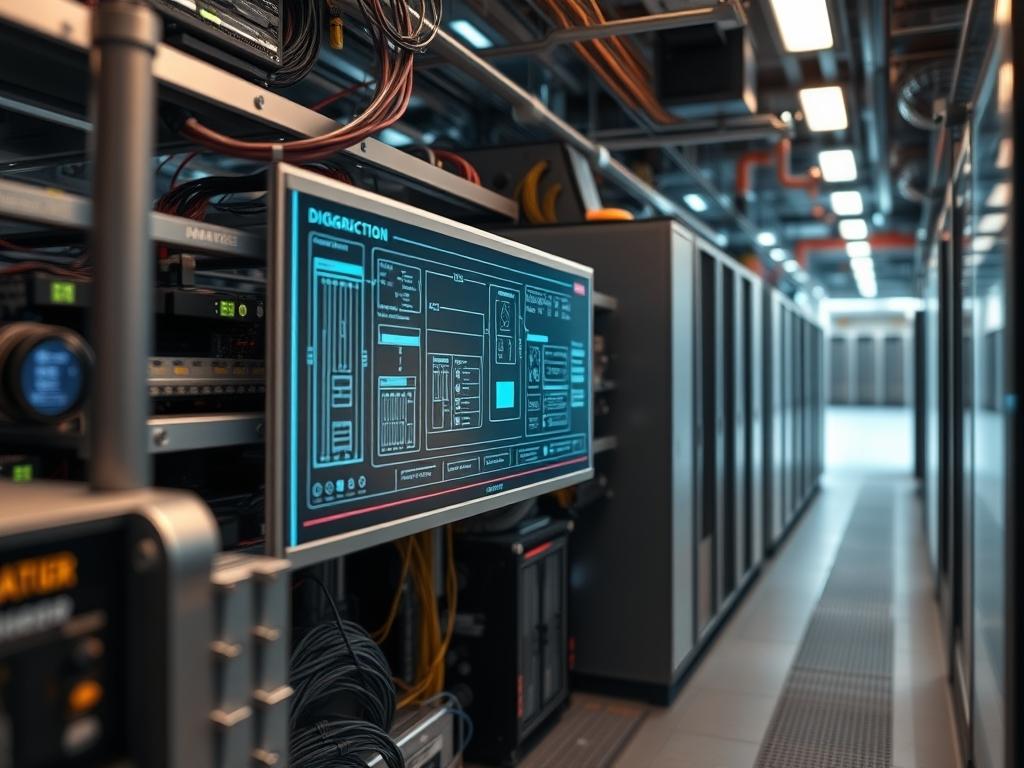
Compact server node architecture characterizes the modern push toward hyper-density within the data center, transitioning away from monolithic 1U or 2U footprints toward modular, multi-node chassis configurations. This architectural shift addresses the core problem of spatial exhaustion and inefficient power distribution in hyperscale environments. By grouping multiple independent compute nodes into a shared mechanical frame, organizations can significantly increase the compute-to-rack-unit ratio. This consolidation minimizes signal-attenuation across high-speed backplanes and reduces the total cabling overhead. These systems are integral to high-performance computing (HPC), cloud-native microservices, and edge-computing deployments where physical volume is at a premium. The following manual provides the baseline configuration for integrating these nodes into a high-concurrency network stack, focusing on the intersection of thermal-inertia management and high-throughput data processing. This setup assumes a standard 19-inch rack environment but emphasizes the proprietary power-shelf requirements common in high-density deployments.
TECHNICAL SPECIFICATIONS
| Requirement | Default Port/Operating Range | Protocol/Standard | Impact Level (1-10) | Recommended Resources |
| :— | :— | :— | :— | :— |
| Power Delivery | 48V DC / 12V DC | OCP V3 / Bus Bar | 10 | Platinum Rated PSU |
| Interconnect | 25GbE / 100GbE / 400GbE | IEEE 802.3by/ck | 9 | SFP28/QSFP-DD |
| Remote Mgmt | Port 623 / 443 | IPMI 2.0 / Redfish | 7 | Dedicated BMC NIC |
| Thermal Ceiling | 35C Ambient / 85C T-junction | ASHRAE A1-A4 | 8 | Pulse Width Mod Fans |
| Storage Fabric | NVMe-over-Fabrics | PCIe Gen 4/5 | 7 | 8+ Lanes per Node |
| Memory Density | 3200MT/s – 5600MT/s | DDR4 / DDR5 ECC | 9 | 128GB+ per Node |
THE CONFIGURATION PROTOCOL
Environment Prerequisites:
Successful deployment of compact server node architecture requires adherence to the following standards and permissions:
1. Compliance with NEC Article 645 for Information Technology Equipment rooms to ensure proper grounding and fire suppression for high-density racks.
2. Firmware revision 4.2 or higher for the Baseboard Management Controller (BMC) to support the Redfish API for automated node provisioning.
3. Access to an idempotent configuration management tool such as Ansible or SaltStack to ensure uniform node state.
4. Professional-grade cooling infrastructure capable of managing a minimum of 30kW per rack.
5. Sudo-level permissions on the target Linux kernel to modify sysctl.conf and manage low-level driver parameters.
Section A: Implementation Logic:
The logic driving compact node design centers on resource encapsulation. By sharing a common power shelf and cooling manifold, we isolate the variable costs of individual power supplies. Each node acts as a discrete unit within a larger cluster, allowing for granular scaling without the payload penalty of traditional rack-mount chassis. This design minimizes the physical distance between the CPU and the network interface, which in turn reduces latency and potential packet-loss during high-concurrency events. The goal of this configuration is to maximize the throughput of the entire rack while maintaining a stable thermal profile to prevent frequency throttling.
Step-By-Step Execution
1. Physical Node Integration and Bus Bar Alignment
Check the primary Power Distribution Unit (PDU) for a stable 48V feed before sliding the multi-node chassis into the rack. Ensure the rear blind-mate connectors align perfectly with the Bus Bar.
System Note: This action establishes the physical link between the node-level voltage regulators and the rack-level power source. Improper alignment can lead to electrical arcing or localized thermal-inertia spikes that damage sensitive transistors.
2. BMC Initialization and IP Assignment
Connect to the management subnet via a dedicated console or the IPMI port. Use the command ipmitool lan set 1 ipsrc static followed by ipmitool lan set 1 ipaddr 192.168.1.10 to establish a static management footprint.
System Note: Configuring the BMC allows the out-of-band management controller to initialize its own micro-kernel, independent of the main CPU state. This is critical for monitoring sensor data and managing power cycles remotely.
3. Kernel Parameter Optimization for High Throughput
Navigate to /etc/sysctl.conf and append variables to increase the network stack buffer sizes. Use net.core.rmem_max = 16777216 and net.core.wmem_max = 16777216. Apply changes with sysctl -p.
System Note: This modifies the Linux kernel memory allocation for network socket buffers. By increasing these limits, the system can handle larger bursts of data without dropping packets, directly improving the overall payload efficiency of the compact node.
4. Thermal Policy and Fan Speed Control
Execute sensors-detect to identify the on-board thermistors. Use systemctl enable lm_sensors to start the monitoring service. Set the fan profile to “Performance” via the ipmitool raw commands for your specific vendor.
System Note: High-density architecture suffers from rapid heat accumulation. Forcing a performance fan profile ensures the cooling system preempts the thermal load rather than reacting to it, which prevents the CPU from entering a throttled state.
5. Storage Fabric Configuration (NVMe-oF)
Load the necessary kernel modules using modprobe nvme-rdma or modprobe nvme-tcp. Verify the transport layer connectivity with nvme list-subsys.
System Note: In a compact architecture, local storage is often limited. Transitioning to NVMe-over-Fabrics allows the node to utilize remote high-speed storage as if it were local, reducing the physical overhead requirements of the individual node.
Section B: Dependency Fault-Lines:
A primary bottleneck in compact server node architecture is the thermal intersection between adjacent nodes. If Node A runs a high-concurrency computational task, the heat bleed can affect Node B, leading to unpredictable latency. Another fault-line is the reliance on shared power. A failure in the rack-level Power Shelf or Bus Bar will result in a total blackout of all nodes within that chassis. Ensure that firmware versions for the NIC and BIOS are synchronized across the entire cluster to avoid idempotent deployment failures where configuration scripts fail due to incompatible flags.
THE TROUBLESHOOTING MATRIX
Section C: Logs & Debugging:
When a node fails to join the cluster, the first point of inspection is the /var/log/syslog or /var/log/messages file to check for “Correctable ECC errors” or “PCIe AER (Advanced Error Reporting)” events. If the node is unreachable, use a fluke-multimeter to verify voltage at the backplane or check the BMC event log via the web interface.
| Error Code | Visual/Log Cue | Probable Cause | Corrective Action |
| :— | :— | :— | :— |
| PROCHOT | CPU Throttling Flag | Inadequate Airflow | Inspect Fan Modules and Heatsinks. |
| UNCORR ECC | System Reboot/Panic | Failing RAM Dimms | Replace Memory Module in slot X. |
| LINK_DOWN | NIC LED Amber | SFP+ Incompatibility | Check Transceiver part number. |
| BUS_FAULT | Power LED Blinking | Bus Bar Misalignment | Reseat Chassis in rack. |
| TIMEOUT | PXE Boot Failure | DHCP/VLAN Conflict | Verify DHCP Option 66/67 settings. |
OPTIMIZATION & HARDENING
Performance Tuning:
To maximize concurrency, disable CPU C-states within the BIOS to ensure the processor remains in a high-power, low-latency state. Use the tuned-adm profile network-latency command to apply a pre-configured set of kernel optimizations. For throughput-heavy workloads, enable Receive Side Scaling (RSS) and Ethernet Flow Control to balance the interrupt load across all available CPU cores.
Security Hardening:
Secure the administrative interfaces by disabling IPMI over LAN after initial provisioning, or move it to a strictly isolated VLAN. Use iptables or nftables to restrict access to the node management ports to known administrative subnets. Physically, ensure the rack contains locking side panels and that the Intrusion Detection Switch is connected to the BMC to log any unauthorized chassis openings.
Scaling Logic:
Expansion of compact server node architecture follows a modular trajectory. When adding a new chassis, the Master Controller should automatically detect the new MAC Addresses via the top-of-rack switch. Maintenance of the “Golden Image” is vital; any changes to the node configuration must be pushed via a central repository to maintain the idempotent nature of the cluster. As rack density increases, monitor the total amperage of the PDU to avoid exceeding the 80 percent load rule for continuous operation.
THE ADMIN DESK
Q: How do I handle a “Thermal Trip” on a single node?
A: Immediately check for debris in the node intake. If the fan is operational, use ipmitool sdr list to verify if specific components are exceeding the ASHRAE limits. Reseating the node often resolves minor thermal-inertia issues caused by poor shroud alignment.
Q: Can I mix different node generations in one chassis?
A: Generally, no. Compact chassis are designed for specific backplane configurations. Mixing generations can lead to power delivery imbalances or mechanical interference. Always consult the Motherboard Manual for compatibility between the node and the shared mid-plane.
Q: What is the risk of high packet-loss in these environments?
A: In high-density racks, electromagnetic interference (EMI) or poor-quality transceivers can cause signal-attenuation. High packet-loss indicates a physical layer failure or a buffer overflow in the Network Interface Card. Check internal cabling and update the NIC drivers.
Q: Why is my node stuck in “Discovery” mode?
A: This usually points to a DHCP or PXE configuration error. Ensure the node is on the correct VLAN and that your deployment server has the MAC Address whitelisted. Check /var/log/tftp on the server for incoming requests.
Q: Is liquid cooling required for compact architecture?
A: While not strictly required for all densities, liquid-to-chip cooling is becoming standard as TDP exceeds 350W per socket. For air-cooled setups, maintain a strict hot-aisle/cold-aisle containment strategy to prevent hot air recirculation and thermal-inertia buildup.

